Feasibility
See whether your current pace can realistically reach the deadline.
 iPhone · iOS 17+
Name the goal. Set the horizon. Ember builds the milestones, finds the rhythm, and keeps the next useful step in view.
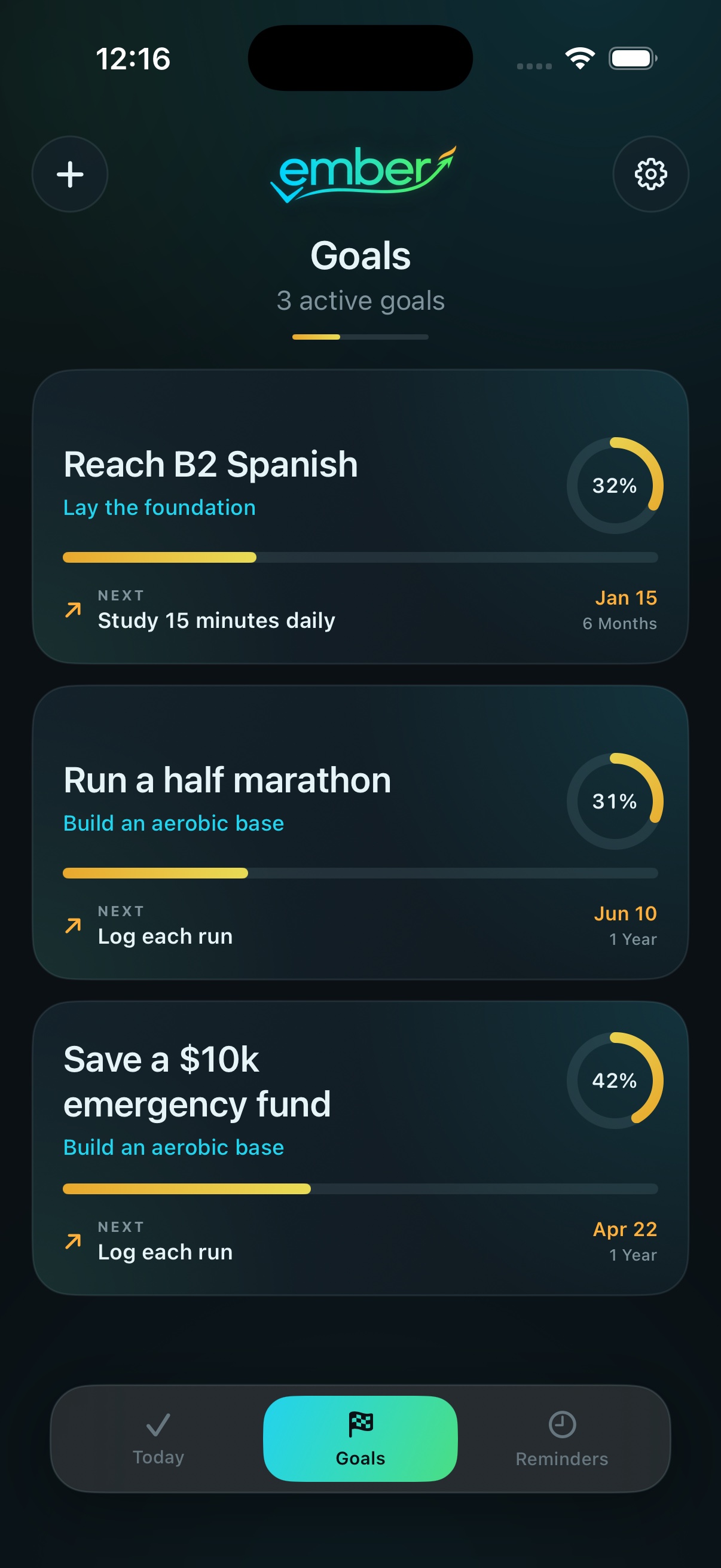
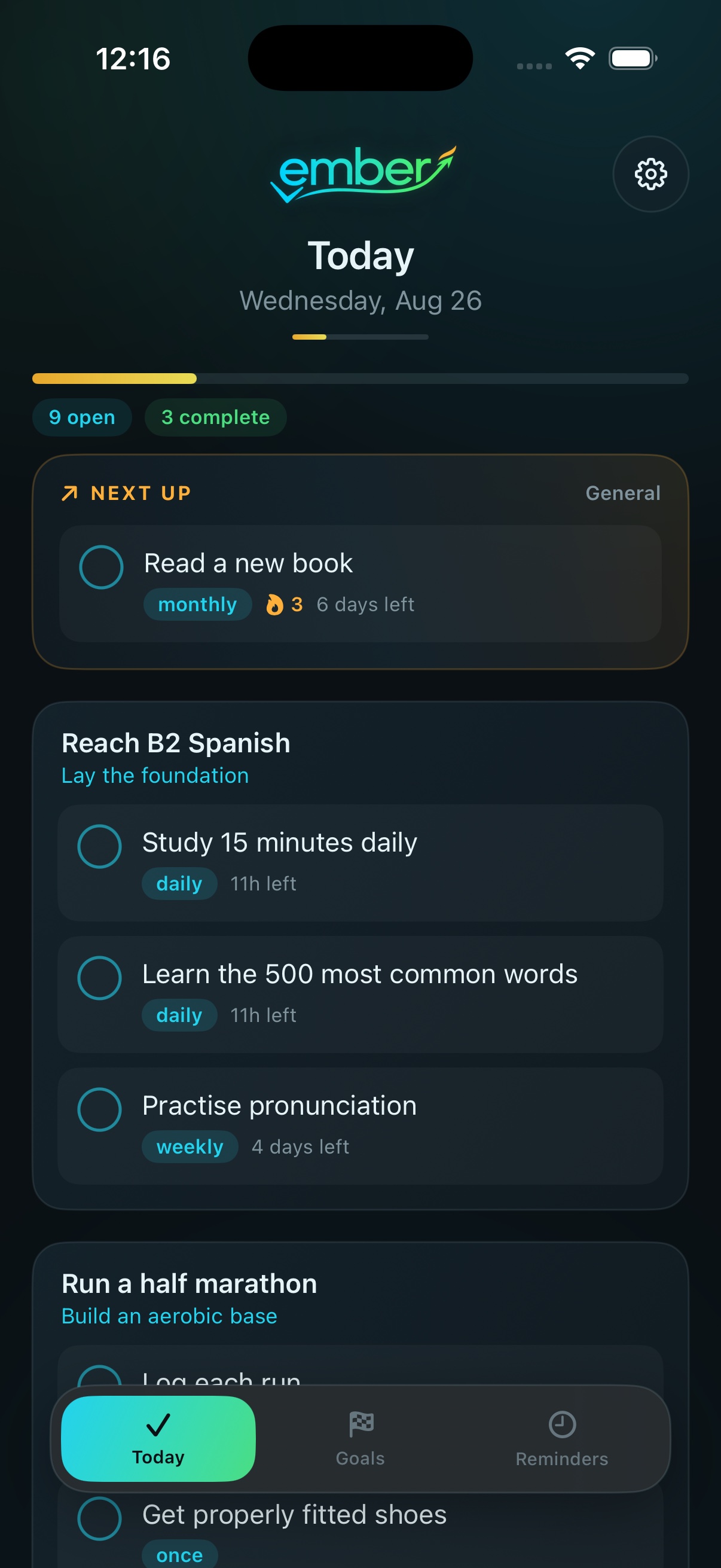
A five-year ambition only works if you know what to do today.
Not another list. A living path from now to done.
Today gathers the useful tasks across every goal into one calm, achievable queue – so the plan never becomes homework.
Each goal becomes a sequence of realistic milestones and specific recurring actions. Progress stays visual, legible, and honest.
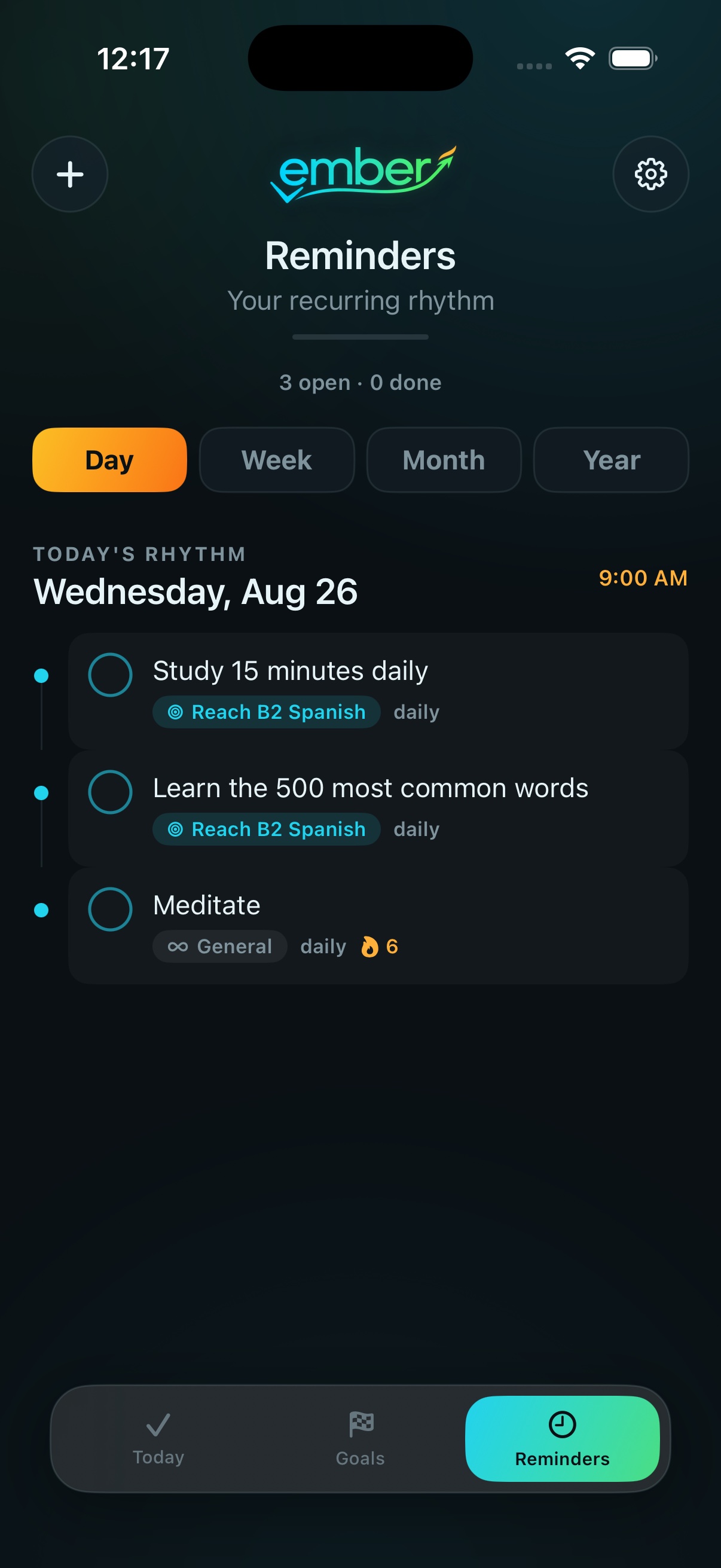
Day, Week, Month and Year views keep every recurring commitment visible – including the good things that don’t belong to a larger goal.
Ember adapts to the person using it. The system stays simple on the surface and thoughtful underneath.
See whether your current pace can realistically reach the deadline.
Reduce an overwhelming cadence without abandoning the goal.
Re-plan only when the path needs attention – not because a timer says so.
Give each goal one visual anchor, not a noisy inspiration board.